Connected coffee machine: is the app worth paying for?
 12 min read
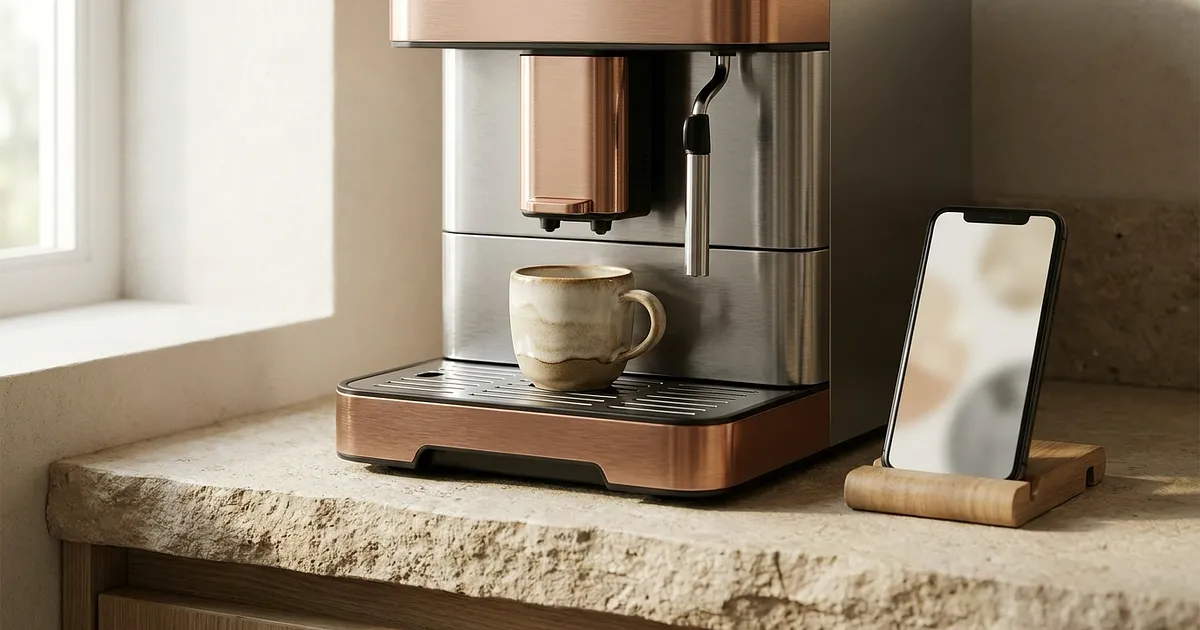
A connected coffee machine doesn't heat water better or rescue a mediocre grinder. Its app deserves a price premium only when it removes a task you face often, such as rebuilding drink settings, managing several profiles or hunting down the right maintenance instructions.
Specifications and official pages checked on 19 October 2026. The functions described here come from manufacturer documentation, not independent Novebar testing.
What does a coffee machine app actually do?
The word “connected” covers several jobs with very different value. An app might duplicate part of the machine's display, store household preferences, walk you through cleaning or send a drink command. It doesn't physically move a grinder dial unless the exact model's documentation says so. Nor does it turn Bluetooth into access from outside your home.
So the useful question isn't “how many app features are there?” Ask what the app saves you from doing at the machine. A feature earns its keep when you use it often, it removes real steps and the same job is awkward on the built-in screen. A glossy drink catalogue opened once during setup counts for little.
Saved profiles and recipes make the strongest case
Profiles have an obvious purpose when people in the same home drink different coffee. On the official Barista TS Smart page, Melitta assigns personal profiles, drink settings, maintenance tutorials and FreeStyle mode to Melitta Connect. FreeStyle changes ingredient order and proportions. Melitta claims 21 recipes and up to eight profiles, manufacturer figures checked on 19 October 2026 and not independently verified.
Take a hypothetical household. Leah drinks a short, strong coffee, Samir wants a long mild one and two guests prefer different cappuccinos. Saved preferences remove repeated setup. If you always drink one espresso, a favourite button on the machine probably does the job just as well. No need to manufacture a benefit.
The app doesn't prove that the cup will taste better. Grinder consistency, grind size, dose and extraction still matter. Our guide to the settings that determine a home espresso covers that physical side, which a phone can't make disappear.
Maintenance guidance can be useful without looking exciting
Rinse, cleaning and descaling alerts don't sell a machine as easily as coffee from the sofa. They can still save a search for the manual at an inconvenient moment. On the documented Melitta, the app carries maintenance tutorials. JURA also says the Cockpit in J.O.E. shows machine status, maintenance information and tutorials.
Compare that help with the machine's own display. If the screen already explains every step clearly, the app repeats it. If a small display uses clipped prompts or cryptic icons, the phone may be easier to read. And a notification won't empty the grounds container or descale a circuit for you. Our coffee machine descaling guide covers the actual work and why water conditions matter.
Remote control sounds bigger than its practical gain
Melitta uses “remote control” wording for the Barista TS Smart. The readable page doesn't define radio range, control away from home or every state in which brewing is allowed. Home Connect makes a broader ecosystem claim and uses the example of making coffee while still in bed on its connected appliances page. That demonstrates a platform scenario, not a guarantee for every Siemens model.
A phone-started drink only helps when the machine is ready. Cup in position, enough water and beans, grounds container not full, machine in a state that accepts the command: each point belongs in the exact manual. We found no readable documentation that supports promising all those conditions across the products in this guide.
There is also an ordinary kitchen problem. If you must get up to place the cup, remote control saves less than the advert suggests.
Bluetooth, Wi-Fi and cloud are different things
“Works with the app” doesn't reveal range or the route taken by a command. JURA is helpful here because it distinguishes the hardware. J.O.E. uses Bluetooth through Smart Connect and Wi-Fi through Wi-Fi Connect, according to JURA. Compatibility is still listed model by model.
| Architecture | What it supports saying | What it doesn't establish |
|---|---|---|
| Documented Bluetooth | A nearby link between phone and machine or adapter | Internet access, away-from-home control or the required adapter being included |
| Documented Wi-Fi | A connection to Wi-Fi under the maker's setup | Operation without cloud, brewing in every state or permanent support |
| Documented remote service | Some commands may travel beyond the local phone link | Absolute security, future service life or availability across a whole range |
| “App compatible” only | An app is associated with the exact listing | Radio type, range, account requirement and detailed functions |
JURA's official accessories index lists J.O.E., Smart Connect and Wi-Fi Connect V2 separately. A buyer may therefore need to check an adapter as well as the machine generation. Any accessory cost belongs in the connected setup, though this guide has no verified current amount to quote.
Wi-Fi doesn't automatically mean local independence. A machine may join your router yet still depend on an account or remote service. Bluetooth may be enough to edit a recipe from a few metres away without offering the range people expect from home automation. The logo settles none of that.
Three models illustrate the market, not a ranking
The following machines aren't same-budget competitors and they don't form a podium. They show three ways a retail listing presents an app. Prices, scores and review totals are deliberately absent because they change, while subtracting one machine's price from another wouldn't isolate a software premium across such different products.
Melitta Barista TS Smart F850-101: documented functions
The exact Melitta Barista TS Smart F850-101 - Machine à Café Connectée, Application Smartphone is associated with Melitta Connect. It is the only one of these three products whose detailed functions could be matched to a readable maker page: profiles, settings, maintenance tutorials, FreeStyle and remote control. Melitta's official connected-machine category listed only the Barista T Smart and Barista TS Smart when checked. That doesn't support extending compatibility to every Melitta.
Even here, the readable official text doesn't name the F850-101 radio type or the remote range. “Remote” can't honestly become “from anywhere.” The example is strong for profiles and recipe construction, but much less precise about networking.

Melitta Barista TS Smart F850-101 - Machine à Café Connectée, Application Smartphone
View at AmazonAffiliate link. Buying through it earns us a commission; the price stays the same for you.
De’Longhi PrimaDonna Soul ECAM612.55.SB: app identity only
The exact listing for De'Longhi PrimaDonna Soul ECAM612.55.SB - Machine à café à grain haut de gamme associates this model with Coffee Link. De’Longhi's official pages attempted during research weren't readable. Connection type, Bean Adapt, recipes, drink control, account, cloud and permissions all remain unknown in this evidence set.
That distinction matters. A Coffee Link mention establishes the app identity for this model, not a function list. Before buying, inspect the ECAM612.55.SB manual and the current app listing. Borrowing claims from another PrimaDonna model would be exactly the shortcut this guide avoids.
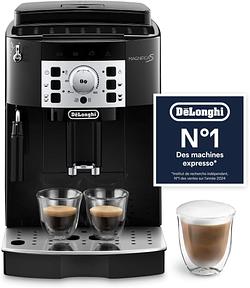
Not available in your region — closest match
De'Longhi Magnifica S ECAM22.110.B
View at Amazon (as of Aug 11)Affiliate link. Buying through it earns us a commission; the price stays the same for you.
Siemens EQ900 TQ903D03: Home Connect, details unverified
The exact Siemens Machine à Café Automatique EQ900 TQ903D03, SuperSilent listing mentions app control and Home Connect. Home Connect does include coffee machines in its connected appliance system and describes access to information and commands. But the exact Siemens page attempted during research returned an error. CoffeeWorld, playlists, profiles, remote activation, range and standby conditions aren't assigned here to the TQ903D03.
“Not confirmed in readable sources” is less satisfying than a row of ticks, but it's more useful. Features move between generations. Our look at new bean-to-cup machines in 2026 is a reminder that a model suffix deserves as much attention as a family name.
| Exact reference | Associated app | Detailed functions verified | Connection verified | Editorial limit |
|---|---|---|---|---|
| Melitta Barista TS Smart F850-101 | Melitta Connect | Profiles, settings, maintenance, FreeStyle, remote control | Not stated in the official text read | Range and allowed states unknown |
| De’Longhi PrimaDonna Soul ECAM612.55.SB | Coffee Link | Not communicated | Not communicated | App identity from exact retail listing only |
| Siemens EQ900 TQ903D03 | Home Connect | Not communicated for this SKU | Not communicated for this SKU | General Home Connect promises aren't enough |
| Compatible JURA model on the official list | J.O.E. | Personalisation, command queue, Cockpit, recipes, support | Bluetooth with Smart Connect or Wi-Fi with Wi-Fi Connect | Generation and adapter must be checked; no product card here |
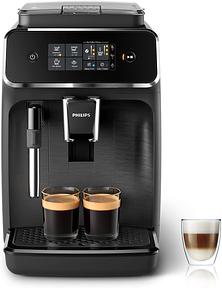
Not available in your region — closest match
Philips Série 2200 EP2220/10 - Expresso Broyeur avec Mousseur à Lait, Écran Tactile
View at Amazon (as of Aug 10)Affiliate link. Buying through it earns us a commission; the price stays the same for you.
Is a connected coffee machine worth paying extra for?
The checked sources don't provide a trustworthy average surcharge. The three cards span different machine tiers, so subtracting their prices would be bogus arithmetic. You can still make a sound decision without a universal amount.
When the premium can make sense
A multi-user household that regularly changes volume, strength or recipe can get daily value. So can someone who builds drinks often and finds the machine's screen slow. In those situations, the app is a working configuration interface rather than launch-day entertainment.
Guided maintenance may count if the machine's own prompts are too terse. A command queue like the one JURA describes can also help when several different drinks follow one another. These are repeated tasks, not a demonstration you perform once after unboxing.
When the machine deserves the money instead
If you drink one recipe, the app may be forgotten quickly. A local favourite button is enough. The same applies when a good touchscreen already exposes all daily settings clearly.
Pick the machine that suits your coffee and skill level before its digital layer. Our bean-to-cup comparison frames that choice without awarding victory to the longest feature list. If this is your first purchase, the beginner's bean-to-cup guide helps filter out complexity you may never use.
Digital dependence can cancel the benefit
An app that needs a recent phone, an account or a maintained service creates more failure points. None of the sources checked here guarantees a support term. Nor can they promise that every feature will survive a new phone or the closure of a service.
The machine should remain useful without its app. If core drinks, basic settings or maintenance instructions become inaccessible without a smartphone, the risk sits in the wrong place. A coffee machine ought to outlive a phone cycle, so its local controls need to stand on their own.
The checklist to use before paying
Skip the simple “Wi-Fi” tick. Open the specification and manual for the exact suffix, then check these questions:
- Does the app's compatibility list name the model and generation?
- Is a separate adapter required, as it is in some JURA setups?
- Is the documented link Bluetooth, local Wi-Fi or a remote service?
- Which tasks still work without the app and without Internet?
- Must remote control be enabled at the machine first?
- In which states will it accept a drink command? Look for the manufacturer's answer rather than guessing about the cup, water or beans.
- Is an account required? The pages read for this guide don't answer that across all four apps.
- Which permissions does the app store show on the day you buy? Don't rely on an old copied list.
- Is the app still updated for your phone?
- Does the machine retain clear local controls if the service goes away?
Keep verified data practices separate from open questions. JURA says a user can choose to share machine data with customer service before maintenance. That says nothing about J.O.E.'s routine collection and even less about Coffee Link, Melitta Connect or Home Connect. Permissions, retention, account deletion and telemetry need the current documents for each app.
The decision that matters
Pay for the app when you can name a specific nuisance it will remove every week. Truly shared profiles, complex recipes or clearer maintenance are sensible reasons. “Coffee from bed” sounds better in an advert, but it remains a weak buying case until the exact manual defines range and conditions.
If the app vanished tomorrow, would you still buy the machine? A “no” probably means the connected premium is going to the wrong place.
All products from this post
The ones we named above are marked; the rest are alternatives in the same category.
Not available in your region — closest match
De'Longhi Magnifica S ECAM22.110.B
View at Amazon (as of Aug 11)
Not available in your region — closest match
Philips Série 2200 EP2220/10 - Expresso Broyeur avec Mousseur à Lait, Écran Tactile
View at Amazon (as of Aug 10)Affiliate notice: As an Amazon Associate, we earn from qualifying purchases. Product prices and availability are subject to change.
Frequently Asked Questions
Does a connected coffee machine make better coffee?
No. The app mainly changes the interface, memory, commands and maintenance guidance. The cup still depends on the grinder, grind, dose, water and extraction system. A convenient application can't correct a machine that doesn't suit the job.
Can I start coffee while away from home?
Not by default. Bluetooth is a nearby link. Wi-Fi alone doesn't prove Internet control. The exact model, service and activation rules must document the function. The verified sources don't support a universal promise.
Does a coffee machine app require a subscription?
This research found no common rule and didn't verify in-app purchases for every app. Check the current store listing and exact model terms. A zero price today doesn't guarantee that a service will remain free for the machine's lifetime.
What happens if the app stops receiving updates?
It depends on the local interface. A sound machine keeps core drinks, main settings and maintenance procedures available without a phone. Since the checked sources don't guarantee future support duration, verify before buying that core controls still work without the app.
Should I choose Bluetooth or Wi-Fi?
Bluetooth can be enough for nearby recipe changes. Wi-Fi may support several phones or more distant services, depending on the maker. Neither label alone guarantees away-from-home brewing, cloud independence or an account-free setup.